A pixel-art physics merge game for the Mid-Autumn festival, in the style of the falling-fruit merge games. Drop sesame seeds, lotus seeds, egg yolks and pastries into a box; two of the same touching become the next size up, through eight merges to a glowing moon. Difficulty steps up at 200, 500 and 1000 points, and a game ends when the pile stays above the dashed line. The repository names Claude Code with Claude Opus 5.5 as the tool that wrote it, and every commit carries a Claude Opus 5.5 co-author line. No licence is stated.
Merge to the Moon (its title in Chinese is 月餅合成, "mooncake merge") is a small physics puzzle for the Mid-Autumn festival, and it is a Suika-style game, plainly. If you know the falling-fruit merge genre you already know how it plays: pieces drop into a tall box, two of the same kind that touch join into the next size up, and you lose when the pile climbs too high. What is its own here is the food. Instead of fruit the chain goes 芝麻 (sesame seed), 蓮子 (lotus seed), 蛋黃 (egg yolk), 綠豆椪 (mung-bean pastry), 蛋黃酥 (egg-yolk pastry), 冰皮月餅 (snow-skin mooncake), 廣式月餅 (Cantonese mooncake), 柚子 (pomelo) and finally 月亮, the moon. That is nine sizes and eight merges. Everything is drawn as chunky pixel art on a night sky with a wooden frame, and the whole game is in Traditional Chinese with a small English title.
It is here because of who is credited with writing it. The repository is at github.com/meowmeowmeowcute/merge-to-the-moon, by the GitHub user meowmeowmeowcute. Its README, which is in Chinese, has a section called AI Tools that says the code was written with "Claude Code" (the Code tab of the Claude desktop app), "model Claude Opus 5.5", for the spec, the tests, the implementation, debugging, checking the picture in the built-in browser, and creating the repository and deploying with gh. It says the person's part was setting the requirements and rules, reviewing the spec, tests and diffs, playing it and asking for changes, and deciding when to commit and deploy. The repository's own notes repeat this, and all 31 of its commits carry a "Co-Authored-By: Claude Opus 5.5" line. The commits are dated 24 September 2026, between 09:54 and 11:33 in UTC+8, the same day we looked. That is the author's statement on the author's own repository. We cannot see how the game was really made and this page does not claim any more than that.
The repository presents itself as a Mid-Autumn H5 assignment as much as a game: its CLAUDE.md calls it that, and a checklist file in it asks for a spec, tests and a record of where the AI went wrong. So beside the game you will find a 24 KB SPEC.md, a project goal document, 99 automated tests, a retrospective, and a log of seven mistakes the AI made along the way. None of that is needed to play, but it is unusually complete, and it is where the Opus 5.5 credit is spelled out in most detail.
How to play Merge to the Moon (月餅合成)
- Open it and press 開始 (Start), or Space or Enter. A round starts at once: a piece hangs at the top of the box with a dashed line straight down from it, so you can see where it will land.
- Aim by moving the mouse over the box, dragging a finger, or pressing the left and right arrow keys. Drop with a click or tap, by lifting your finger after a drag, or with Space or Enter. There is a quarter-second wait between drops. Hold still for 0.4 seconds with the mouse button or finger down, or hold Space, and it drops a piece every quarter second until you let go, which the README advertises as hold-to-drop; we counted five drops in 1.6 seconds with the mouse and with a finger, and six with Space.
- Every piece that falls is one of the five smallest kinds, sesame to egg-yolk pastry, chosen at random (at the start about 35, 25, 20, 12 and 8 percent). When two of the same kind touch, they vanish and the next kind appears between them with a little upward bounce and a push on its neighbours. You score the value of the piece you made: 2 for a lotus seed, then 4, 8, 16, 32, 64, 128 and 500 for the moon. A dropped piece by itself is worth nothing. A "+4" floats up at each merge.
- The dashed line near the top of the box is the danger line. If any piece stays with its top above it for two seconds without a break, the game ends. A piece you have just dropped is left alone for 1.5 seconds, so a fresh drop does not count.
- Difficulty rises with your score. At 200 points it becomes Lv.2 with a banner reading 難度提升 (difficulty up) and a short sound, at 500 Lv.3, and at 1000 Lv.4. From then on bigger pieces are more likely to drop and the time you can stay over the line shrinks, from 2.0 seconds down to 1.8, 1.5 and 1.2. The game itself is the place to read the level; it is shown next to your score.
- P or Esc pauses (as does the pause button), and it also pauses by itself when you switch to another browser tab. The speaker button mutes it. When a game ends you see your score, your best, the biggest piece you made, and two buttons: 再一局 (play again) and 分享 (share). Share uses the phone's share sheet if there is one, and otherwise copies a line of Chinese text with your score and the page address to the clipboard.
Controls: Move the mouse (or drag a finger) to aim; click, tap, or let go of the drag to drop. Hold still for 0.4 seconds on the board to keep dropping a piece every 0.25 seconds. Left and right arrow keys aim; Space or Enter drops (hold Space to repeat). P or Esc pauses, and there are on-screen pause and mute buttons. Space or Enter also starts a game and starts the next one after game over. The best score is kept in your browser.
Click Fullscreen above the game for the largest play area. If the game does not load, use Open in new tab to play it directly from our copy.
Why it's worth your time
Where the Opus 5.5 credit is stated, exactly. In the repository's README.md, in the section AI Tools: Claude Code, in the Code tab of Claude's desktop app, "model Claude Opus 5.5". The retrospective file, RETROSPECTIVE.md, says the same in answer to "which AI or agent did you use" and adds that the same agent did everything from the spec and tests to deploying on GitHub Pages. Every one of the 31 commits carries a Co-Authored-By: Claude Opus 5.5 line, and all are by the one GitHub user. The repository was created on 24 September 2026 (GitHub records 03:03 UTC), and its last push before we copied it was at 03:33 UTC. We did not find a post or article by the author beyond the repository. All of this is the author's word. Commit lines can be typed by anyone, so they are not independent proof, and we cannot see what the model did and what the person did by hand. The tags on this page rest on the repository's statements.
How the copy on this site relates to the original. The playable page is a small set of plain files, no build step: the page, a stylesheet, a script per part of the game, the Matter.js physics engine (version 0.20, MIT licence, header kept) and two images. There are 20 game files. Our copy is byte for byte the same as the files in the repository and on the author's GitHub Pages address, apart from the start page, where this site adds its standard small script and rewrites two address lines. The original page loads one outside file, a pixel font called DotGothic16, from Google Fonts. Our copy stores the font (a stylesheet and 48 font pieces, about 0.6 MB in all) so it does not call Google. Nothing else leaves the page: we loaded our copy with every request to another site blocked and it ran the whole game with no failed request, no page error and nothing in the console.
The licence question. The repository has no licence file and its README does not mention one, so we do not tag this open source. We host the copy the way this site does for other games with no stated licence: it changes nothing, the original stays linked from this page, and it comes down if the author asks through the contact in the footer.
It plays as advertised. In Chromium with a mouse we started with Space, aimed with the mouse and the arrow keys, dropped with a click and with Space, held Space and the mouse for repeat drops, paused with P and resumed, and let a scripted player drop at random places until the game ended. Two such runs ended by themselves after 38 and 140 seconds of game time with scores of 814 and 828, having merged up to a Cantonese mooncake (the seventh kind), passed Lv.2 and reached Lv.3, and each showed the game-over screen with "new record", the score, the best, the biggest piece and the two buttons. Pressing 再一局 restarted at zero. 分享 copied a line in Chinese that reads roughly "I got 814 points in Mooncake Merge, best merge Cantonese mooncake! Come and merge the moon with me", followed by the page address (ours, when played here).
The moon itself we did not reach by playing. To see what the top of the chain does we used the game's own ?debug address, which the README documents, to put two pomelos side by side. They merged into the moon, worth 500 points, with a large glowing moon, a flash, and a gold banner reading 花好月圓 (roughly "blossoms bloom, the moon is full"). That shows the ending exists and works; it does not show how hard it is to get there. The moon is the largest piece (it is 106 pixels in radius in a board 400 wide) and, the code says, it does not merge further, so it stays in the box. We did not reach Lv.4 at 1000 points.
It runs smoothly. The board is drawn on a canvas with the physics stepped at a fixed 60 times a second, so a faster screen does not speed the game up. Our own frame count was 59 to 60 a second with pieces in play at 1280 by 720 in headless Chromium on a Mac, and 54 to 60 in an emulated iPhone 13. That is a desktop machine pretending to be a phone; we did not try a real handset, an old phone or a low-end one.
On a phone. The page is laid out for a phone held upright: the score, best score and two buttons across the top, the box filling the rest. In an emulated iPhone 13 it fits at 390 by 664 and at 844 by 390 with no sideways scroll. A tap on the start button starts it, a tap in the box drops at that spot, a drag moves the aim and lifting drops, and holding a finger still gave five drops in 1.6 seconds. Sideways the box shrinks to the height available and becomes small. All of that is an emulator; a real handset was not tried.
What it keeps. Your best score and the mute setting are saved in your browser's local storage, under the names merge-to-the-moon:best and merge-to-the-moon:muted, and nothing else. There is no account, no analytics and no other request. All sound is made in the browser as it plays, with no audio files; the sounds start on your first click or key press. We did not listen to them, so we cannot describe how they sound.
Words. The interface has almost no English: the subtitle Merge to the Moon and the Lv. label. If you do not read Chinese you can still play, because the rules are just the picture: the same two touch and grow. The instructions on the start screen say, in Chinese, that two of the same merge and that you go from sesame all the way to the moon, and that you aim by sliding or the arrow keys and drop by letting go or pressing Space.
What we did not check: a real phone or tablet; sound; reaching the moon in a normal game; the level 4 step; how the game plays over many rounds; the repository's tests (we did not run them, and the README says there are 99); and how the game was actually written. We also did not compare it with any other merge game beyond noting that it belongs to the same genre. The author's own specification calls the game similar to 合成大西瓜 (Synthesise a Big Watermelon), another game of the same kind, and that is the only comparison it makes.
How it was made and where it lives
Published on GitHub Pages from a public repository. The author publishes as meowmeowmeowcute. Original: https://meowmeowmeowcute.github.io/merge-to-the-moon/. The Play button above runs our own unmodified copy, so the game keeps working here if that page goes down — which on free hosting usually has nothing to do with the author. Nothing about the game itself is changed, and the original stays linked from every page.
If you like Merge to the Moon (月餅合成), try these
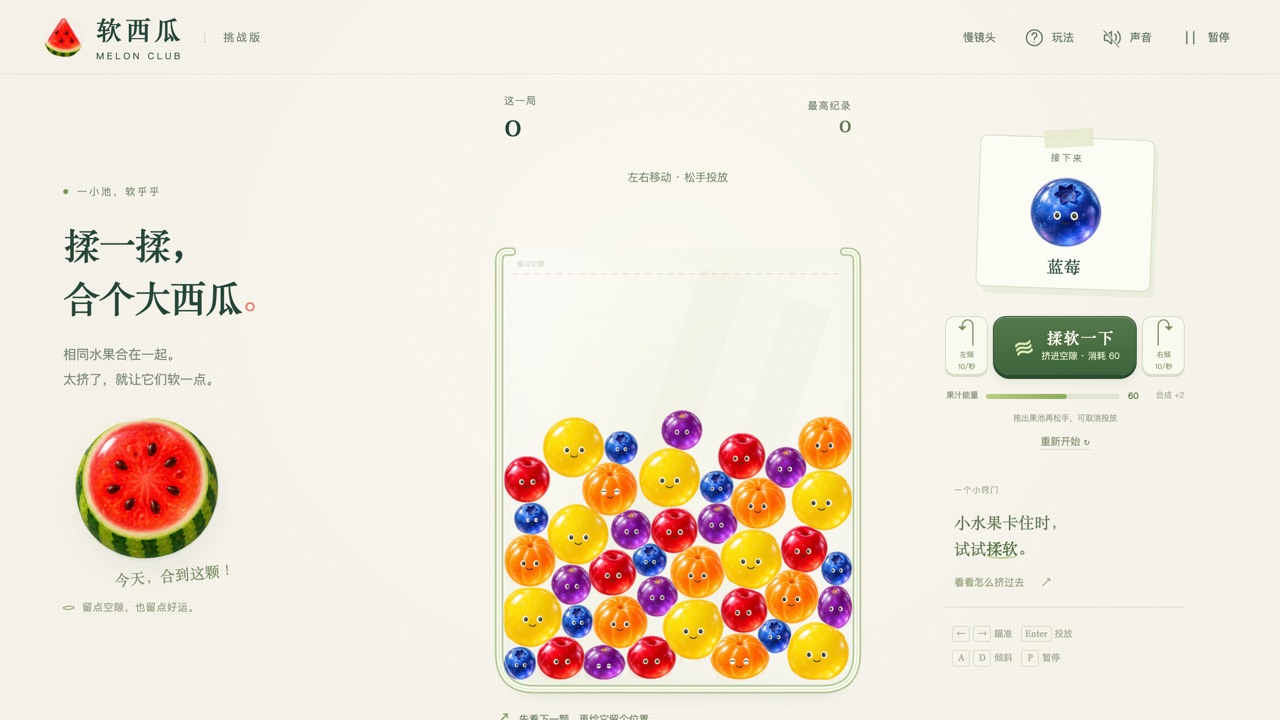
Two more merge games on this site take the same idea in other directions: Melon Club makes every fruit a soft, squishing body, and Melon Lab lets you loosen the whole pool with a fluidity dial. For another pixel-art game that says it was made with Claude, see A Day on the Coral Reef, and for everything credited to the same model see Made with Claude Opus 5.5.
Frequently asked questions
- Is this a Suika clone?
- It is the same kind of game: pieces fall into a box, two of the same touching merge into the next size, and you lose when the pile crosses a line. It has its own theme, mooncakes and a moon at the top, nine sizes, difficulty levels by score, and a hold-to-drop control. The author's spec calls it similar to 合成大西瓜, a game of that kind.
- Who made it, and with what?
- The GitHub user meowmeowmeowcute. The README in the repository says it was written with Claude Code using Claude Opus 5.5, and all 31 commits carry a Claude Opus 5.5 co-author line. That is the author's own statement; we cannot check how it was made.
- Is it open source?
- We do not say so. The repository has no licence file. We host a copy the way we do other games with no stated licence, and remove it if the author asks.
- Does it work on a phone?
- Yes, it is built for one held upright, and touch works in an emulated iPhone 13: tap to start, tap or drag and lift to drop, hold to repeat. We tried an emulator, not a real phone.
- Do I need to read Chinese?
- Not to play. The words are in Traditional Chinese, but the rule is shown by the pieces: two of the same touch and become the next one. The chain from sesame seed to moon is listed on this page in English.
- What ends a game?
- A piece staying above the dashed line near the top for two seconds in a row (less at higher levels). A piece you have just dropped gets 1.5 seconds before it counts.
- What happens when I make the moon?
- You get 500 points, a big glowing moon and a 花好月圓 banner. The moon stays in the box, and you keep playing until you run out of room. We triggered it with the game's debug tool, not in a normal game.
- Does it save anything or use the network?
- It saves your best score and the mute setting in your browser and nothing else. Our copy makes no request to any other site.
- Why does this page play a copy and not the original?
- Free hosting comes and goes, so every game here plays from a copy we store. The original address is linked as the original, and our copy matches its files apart from this site's small script in the start page.
- Is Merge to the Moon (月餅合成) free to play?
- Yes. Everything on Floating Arcade is free, with no account, ads or downloads.
- Can I embed this game on my own website?
- Yes — copy the snippet below. The embedded player links back here, which is how we ask to be credited.
Embed Merge to the Moon (月餅合成) on your site
Paste this where you want the game to appear: